Pilot one classroom
One class, one term — no district rollout and no fleet purchase to get started.
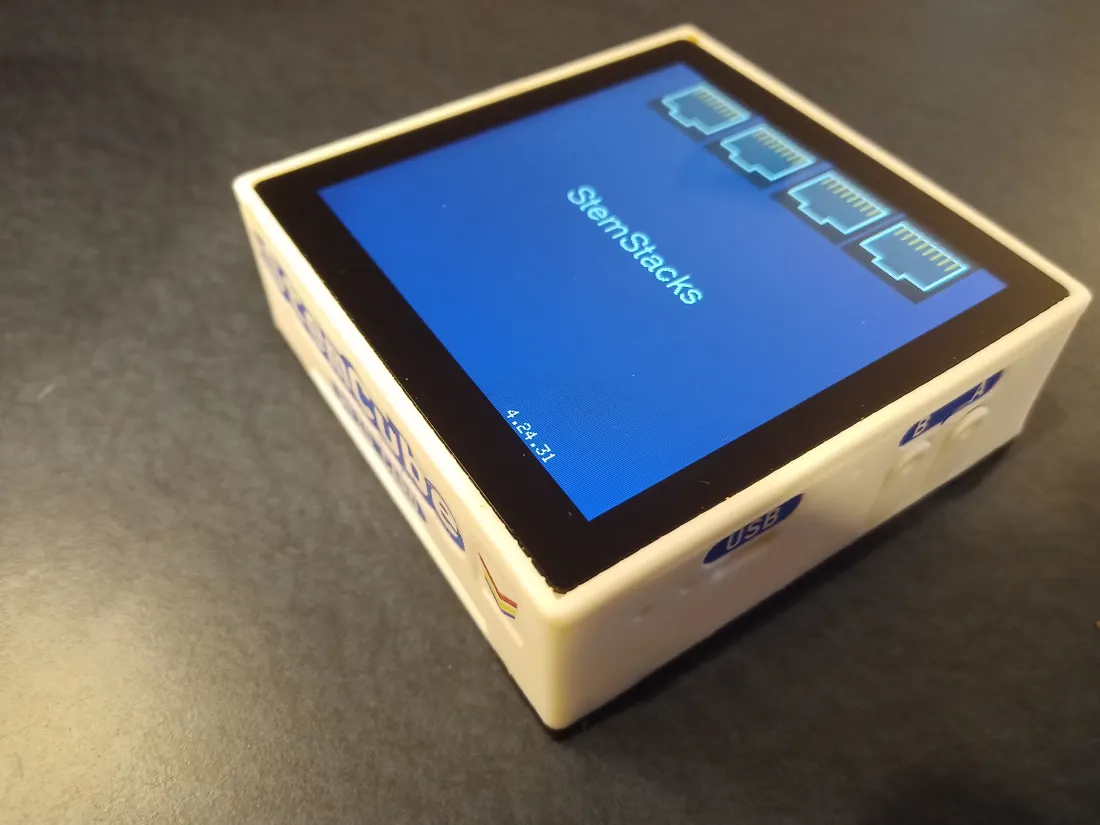
STEM Cube, an ivory physical computing device with a front blue display, four numbered accessory ports, USB-C, A and B controls, SD storage, 12-volt power, and an RFID reader on its side.
STEM Stacks is the curriculum platform for schools — AI-authored lessons, Blockly-to-Forth coding with the simulator and STEM Cube, and everything in one browser. Start in the simulator; move to hardware when you're ready.
Authoring, teaching, coding and exporting live in one place — so a lesson never has to be handed off between tools to reach a student.
Brief → visual direction → blueprint → section-by-section builds. You get an outlined, illustrated, narrated, interactive lesson — and the cost is visible before you build.
Blockly to Forth across ~150 blocks, ~21 categories and 23 gadgets. Run it in the browser simulator first, then on the STEM Cube over Web Serial — same code either way.
Pick the audience and difficulty up front, watch per-learner progress as students work, and fork any lesson into a variant for the learners who need a different pace.
Decks and courses bundle with their pinned revisions, so what you taught this term runs the same next term — and export bundles move it anywhere. No lock-in.
One board, one cable: a STEM Cube that pairs with the same lessons students already built in the browser.
The ESP32-S3-WROOM-1-N16R2 runs ESP2forth — firmware written for this board, on hardware we built ourselves.
Flash firmware, write SD storage at /sd/*.sst, and deploy a lesson over RFID — all from the browser.
The same Forth runs in the browser simulator first, so the Cube is step two, never step one.
No hardware? Start in the simulator — nothing in your lesson changes when you plug in.
Every published lesson is one bundle: the deck, the activities, the narration, the builds and the walkthrough — versioned together.
Lessons are structured decks — a frame can hold an image, a video, a PDF, markdown or a CSV table, all sitting in the same slide flow your students click through.
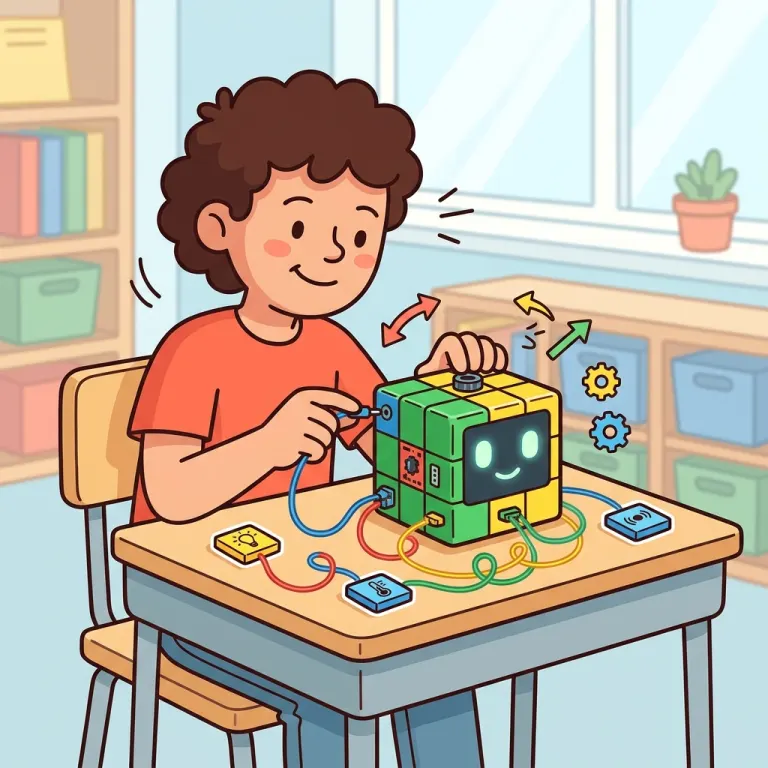
Why does the cube roll forward?
Eight activity types, generated with the section that uses them — students do the work instead of reading it.
The AI pipeline draws an illustration and records narration for each section, matched to the visual direction you picked — image and audio, generated into the lesson itself.
Drop video into any slide frame — a demonstration, a clip, a safety briefing — and it plays inline in the lesson player alongside everything else.
Sections embed real builds: drag blocks, watch them compile to Forth, run them in the simulator or on the STEM Cube.
Every lesson player runs the same four stages, so students always know where they are in the arc.
Open with the question the lesson is answering.
Interactive sections and simulator runs do the teaching.
Practice activities check it, with per-learner progress.
Reflection prompts close it out and record the takeaway.
Describe the outcome, the audience, and the look you want. The pipeline moves it through visual direction and a week blueprint, then builds each section in order with live progress — illustrations and narration generated alongside the text.
Audience, difficulty, and a visual direction you approve before anything is written.
A week plan with objectives, activities, and assessments mapped out end to end.
Sections build one after another, in order, with live progress as each one lands.
Readiness and invariant checks run before a lesson can reach a learner.
Per student
The audience and difficulty you choose shape every sentence — a K-2 lesson reads like a K-2 lesson, and a 9-12 unit never talks down to anyone.
Built to adapt to each student. Audience and difficulty today, per-learner fit next.
Snap a stack together and the editor compiles it to ueForth — the exact code the browser simulator and the STEM Cube run.
150+
block types
~21
toolbox categories
23
gadget plugins
Zero
installs — runs in-browser
Pilot small, prove it with your first lessons, then roll out on a shared library.
One class, one term — no district rollout and no fleet purchase to get started.
Write the brief, approve the visual direction, and the blueprint becomes sections.
Students build in the simulator or on the Cube while you see their progress.
A shared library and export bundles move lessons between classes and grades.
Start in the simulator, add STEM Cubes when the budget allows, and keep control of exactly what your students see.
Trial the whole platform with zero procurement — OLED, TFT, sensors, motors and GPIO all run in the browser. STEM Cubes are an optional upgrade, not a prerequisite.
Draft → published revision → private. Preview a lesson exactly as a student will see it before anyone else does.
Per-learner progress on every lesson and block, plus teacher-entered assessment records: emerging, developing, demonstrated.
Course invitations by email, enrollments with owner / teacher / learner / viewer roles, a shared library, and export bundles to move between classes.
What a pilot looks like
Pilots start with a conversation — tell us your grade level and class size.
Book a classroom demoStart with a single class and a term — no district rollout, no fleet purchase.
Author with AI or bring your own, then publish the revision you are happy with.
Run everything in the browser, or plug STEM Cubes in over Web Serial when they arrive.
We help you get the first lessons running and answer questions as you go.
Your curriculum belongs to your household or your school. Nothing is public until you publish a revision, and every route checks ownership before it serves a file.
Only you and granted members see it. Unpublished revisions are never served to a student or to the public.
A read-only snapshot is pinned. Edits create a new revision while the live link keeps serving the last good build.
The public link comes down immediately, and any deck embedding the project reflects the change.
Password sign-in is enabled only in development and test. Admin controls are gated by role, and every file route checks ownership before it serves content.
Import/export bundles preserve courses, lessons and sections with their pinned revisions. No lock-in if you move schools, co-ops or platforms.
Compliance: We do not claim FERPA, COPPA or GDPR badges on this page. If you need a review before sharing learner data, ask us first — we will tell you plainly what we do and do not cover.
Short answers with no marketing spin. Where something is roadmap rather than shipped, we say so instead of implying it exists.
Still have questions?
We answer plainly on a call — including what is roadmap versus shipped.
Book a demoLessons are authored for a chosen audience (K-2 through adult) and difficulty, every learner gets their own progress and assessment record, and you can fork a lesson for a specific student. Automated per-student pathing is where we are heading — roadmap, not shipped.
No. The simulator covers OLED, TFT, RGB ring, stepper, TM1638, canvas, audio, keypad, ultrasonic, DHT, servo, neopixel, GPIO, pots, encoders, buttons, switches, touch, LEDs, motors, SD, RFID and battery. The same Forth runs over Web Serial the moment you plug a Cube in.
K-2 through adult. Audiences and difficulty are chosen per lesson, and you control which blocks are available in each one.
Pilot-ready: teacher-controlled publishing, course invitations, enrollments with roles, per-learner progress and assessment, a shared library and export bundles. We are direct about what is roadmap (rosters, LMS) and happy to walk you through exactly what exists today on a call.
Yes. Import/export bundles carry courses, lessons and sections with their pinned revisions, so your work is never locked into STEM Stacks.
We show an estimate before each build and the actual after it, and provider pricing is passed through — no guesswork after the fact.
Private by default: learner work is only visible to the people you enroll, Google sign-in in production, export anytime. See the Privacy page for the details.
Tell us who you are and we'll get back within one business day — schools and homeschools both welcome.
Not ready to talk? Open the public editor and try a lesson in the simulator first — no account needed.
One conversation tells you whether STEM Stacks fits your group — book a demo, or open the editor and try a lesson right now.